


Tires Plus
4.7351.00 Reviews
App Specs
- Version
- 7.2.1
- Updated On
- License
- Free
- Downloads
- 100,000+
- Developer
- Firestone Complete Auto Care (FCAC)
- Categories
- Auto & Vehicles
- Platform
- Android
Screenshots
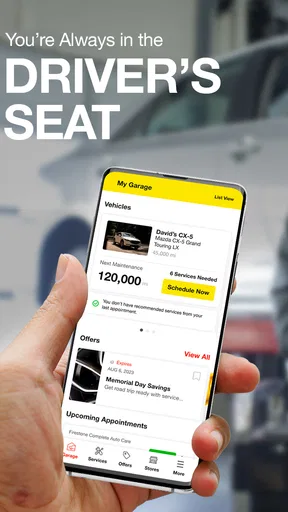
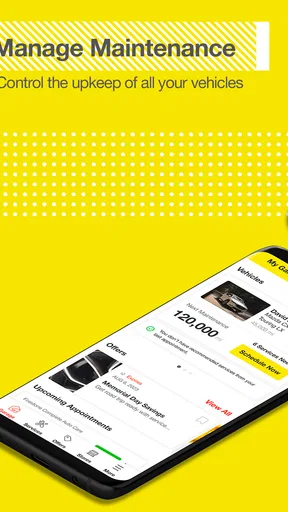

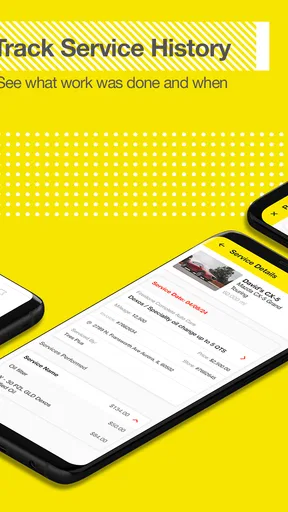
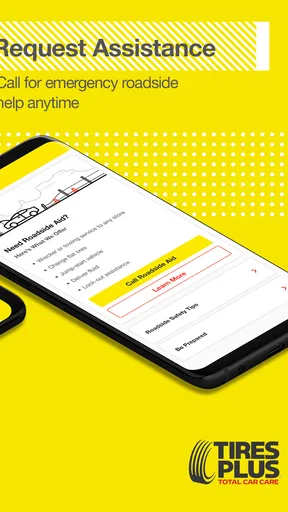
 Analysis by AppCompare
When a warning light appears, a tire looks low, or routine maintenance starts competing with a busy day, the hardest part is often not knowing that the car needs attention. It is turning that concern into a clear next step. Tires Plus is an Auto & Vehicles app from Firestone Complete Auto Care that aims to make that process more manageable. I found its value less in flashy extras and more in giving tire and service decisions a recognizable home on the phone.
The app is free and suitable for everyone, which makes it easy to recommend as a practical companion for drivers who already use Tires Plus or are considering its service. It has built a solid audience, with a 4.7 average from around 3K ratings and more than 100K installs. That level of adoption suggests it is not just a rarely used store utility, although the usefulness still depends heavily on whether a Tires Plus location fits your routine.
My main takeaway is simple: this is most useful when you want to move from “something may be wrong” to “I know what I need to do next.” It is not a replacement for a mechanic’s judgment, a tire-pressure gauge, or an emergency roadside service. Instead, it supports the planning and handoff around vehicle care.
From a vague car concern to a planned visit
I use this section to look at the moment a car concern becomes something I can act on: deciding what I need checked and preparing to arrange a visit through Tires Plus. A useful first step is to note the symptom in plain language before opening the app, so the request stays grounded in what I actually noticed. That preparation matters even more when the next question is how the service-planning flow holds up during a busy day.
The starting condition matters more than the app itself
I would open Tires Plus in one of several ordinary situations. Perhaps I notice a tire that looks softer than the others before leaving for work. Maybe the tread appears worn, a seasonal change is approaching, or the car is due for maintenance and I cannot remember where I last handled it. In each case, the app begins with a problem that is still somewhat undefined.
That is an important distinction. A vehicle-care app cannot inspect a tire through the screen, and it should not encourage a driver to diagnose a serious mechanical issue from a menu. Its practical role is to help organize the next conversation with a service provider. I appreciate that framing because it keeps the phone involved in preparation rather than pretending to replace an in-person inspection.
For a first-time user, the best approach is to decide what outcome is needed before tapping through the app. If the goal is a tire check, keep the tire symptoms in mind. If the goal is routine service, gather the vehicle details and any maintenance notes you already have. If the car is unsafe to drive, I would not use the app as a reason to continue driving; safety comes first, and a professional or roadside option may be more appropriate.
Worth Reading Before You Choose

EA SPORTS FC Mobile 26 Is a Bigger Football Game, but It Takes Time

Flipboard Shows What News Apps Must Do Beyond the Feed

Switching to Android Auto Means Rethinking Your Driving Routine

Google Calendar Makes a Crowded Week Easier to Manage

Ludo King Makes the Most of the Minutes Between Plans

Baby Panda World Brings Quick Play to Modern Phones, but Its Game Library Feels Busy
Getting oriented without turning maintenance into homework
The Tires Plus identity is clear from the start. The app’s store summary, “Stay in the Driver’s Seat,” points toward control and convenience, while the short store description identifies it with Tires Plus. In practice, that means I approach it as a service companion rather than a general-purpose car-management platform.
The interface is most helpful when I treat it as a sequence: identify the vehicle-care need, find the relevant service path, choose how to continue, and arrive prepared for the handoff. That sounds obvious, but it changes how efficiently the app works. Browsing every available option without a specific concern can make the experience feel more like a catalog than a solution.
One useful habit is to write down the symptom before opening the app. “Front tire loses air,” “braking feels different,” and “routine inspection” lead to very different conversations at a service center. A short note prevents the appointment or visit from becoming a vague request and gives the technician a better starting point.
Moving through the service-planning flow
My preferred workflow is deliberately practical. I start by identifying the vehicle and the reason for the visit, then review the available service route instead of immediately committing to the first convenient option. The point is to confirm that the selected location and service type match the actual problem.
This is where the app can save time compared with relying only on a phone call or walking into the nearest shop. A call may still be the better choice for an unusual noise, a complicated warning light, or a situation where the vehicle cannot be driven. For a straightforward tire or maintenance request, however, having the details in front of me makes the planning stage less stressful.
I also recommend checking the practical constraints before finalizing anything: travel distance, the time needed to reach the location, and whether the requested work is suitable for that shop. Even when an app makes scheduling feel quick, the real-world appointment is still dependent on staff, equipment, parts, and the condition of the vehicle once it is inspected.
That last point is one of the most important trade-offs. A planned service request is not necessarily a guaranteed final diagnosis. If a tire inspection uncovers another issue, the original plan may change. I would treat the app as a way to begin the process, not as a promise that the visit will follow an exact script.
A realistic weekday example
Imagine noticing a slow leak on a Monday morning. The tire is not visibly damaged, but it appears lower than usual. I would first compare it with the other tires and, if possible, check the pressure using a reliable gauge. If the pressure is dangerously low or the tire shows obvious damage, I would avoid driving and seek appropriate assistance.
If the car seems safe enough to move carefully, I could use Tires Plus to organize a tire-related visit. I would record which tire is affected, mention that the loss appears gradual, and choose a convenient service path. That information becomes useful at the counter because the technician can begin with a specific symptom rather than a general request to “look at the car.”
The app does not eliminate the need for that handoff. It improves the preparation for it. After the inspection, the technician’s findings remain the deciding factor. I would then compare the recommendation with the original concern, ask what must be handled immediately, and separate urgent work from items that can reasonably be planned later.
Where the handoffs happen
The first handoff is from the driver to the app. I provide the basic context: what I noticed, which vehicle is involved, and what kind of help I am seeking. The app can organize that information, but it cannot know whether a vibration is minor, whether a tire has internal damage, or whether a warning light indicates a serious fault.
The second handoff is from the app to the Tires Plus location. This is where digital convenience meets the limits of a physical service business. The location must interpret the request, inspect the car, and decide what work is appropriate. A clean digital flow can make arrival easier, but it does not remove the need for a technician to verify the situation.
The final handoff is back to the driver. I still need to understand the recommendation, approve or decline work, and keep track of what was done. This is why I would not rely on the app alone as a complete maintenance record unless I personally confirm that the relevant details are saved in a way I can find later.
For families sharing a car, that handoff deserves extra attention. One person may notice the problem, another may take the vehicle in, and a third may need to know what was recommended. A short written summary on the phone can prevent misunderstandings. The app helps start the process, but clear communication between people remains essential.
What the experience does well
The strongest aspect is focus. Tires Plus is not trying to be a broad driving dashboard filled with unrelated tools. Its connection to Firestone Complete Auto Care gives it a clear service context, and that makes sense for drivers who want to handle tire and maintenance needs through that network.
I also like the psychological benefit of having a defined next step. Vehicle problems often become more intimidating when they remain in the category of “I should deal with that soon.” Turning the concern into a service request or a planned visit reduces that mental clutter. For someone who tends to postpone maintenance, this can be more valuable than a long list of advanced features.
Another strength is that the app can fit different levels of automotive knowledge. Experienced drivers can use it to move quickly toward service, while less confident owners can use it to prepare a clearer description of the problem before speaking to staff. Neither group has to pretend to be a mechanic.
The free price also lowers the barrier to trying it. The content rating is Everyone, so it is positioned as an ordinary household utility rather than a specialized professional tool. Its current version is 7.2.1, and it supports operating-system version 10 or later, which is worth checking before installation if the phone is older.
Where the flow breaks down
The biggest limitation is the boundary between planning and diagnosis. If I expect the app to tell me exactly what is wrong with the vehicle, I will be disappointed. A tire-pressure warning, steering change, or unusual sound can have several causes, and a service app should not be treated as a remote inspection.
The experience can also become less useful when I am outside the Tires Plus network or when another service provider is clearly more convenient. A driver who already has a trusted independent mechanic may gain more from calling that mechanic directly. Someone comparing many brands, prices, or local repair options may prefer a broader marketplace or mapping tool.
There is also a human scheduling risk. The app may help me request or organize service, but the actual visit still depends on the selected location. If my vehicle needs a specific part, a longer repair, or work beyond the original request, the handoff can introduce delays or extra decisions. I would leave enough flexibility in my day rather than assuming a digital booking guarantees a fixed completion time.
Another friction point is the difference between convenience and completeness. A specialized app can make its own service ecosystem easier to use, but that focus may feel narrow if I want fuel tracking, trip logs, insurance documents, roadside assistance, or a complete maintenance history in one place. Tires Plus is better understood as a service doorway than as an all-in-one ownership journal.
Small habits that make it more useful
First, use it before the problem becomes urgent whenever possible. Planning a tire inspection after noticing uneven wear is less stressful than waiting until a long trip is about to begin. The app is most effective when it supports a decision made with some time available.
Second, arrive with observations rather than conclusions. Saying that the vehicle pulls slightly to one side or that one tire loses air is more useful than insisting that the alignment or valve must be defective. This leaves room for the technician to inspect the actual cause.
Third, separate “service requested” from “repair approved.” That mental distinction protects against confusion when an inspection reveals additional work. I would ask which finding affects safety immediately, which item can wait, and what the recommended next step is for anything deferred.
Fourth, take a moment after the visit to record the outcome in my own notes. I would include the date of the visit, the work completed, and any recommendation that needs follow-up. Even a simple note improves continuity when another maintenance question appears later.
Finally, keep a backup plan for urgent situations. If the vehicle cannot be driven safely, the app should not become the only channel I consider. A phone call, roadside provider, or nearby emergency service may be the better route depending on the circumstances.
Who should use it, and who should look elsewhere
I think Tires Plus is a good fit for drivers who prefer handling tire and maintenance planning through a recognized service provider, especially those who want a simpler route than searching the web each time a vehicle concern appears. It may also suit households where one person handles driving and another handles appointments, because a structured service request is easier to pass along than an informal conversation.
It is less compelling for someone who rarely uses Tires Plus, lives far from its locations, or wants a brand-neutral record of every repair. It is also not the right primary tool for a driver facing an immobilized vehicle, a suspected collision-related problem, or a serious warning that requires immediate professional attention.
Compared with a general map app, Tires Plus offers a more focused path into tire and vehicle service, but a map app may be better for comparing nearby providers. Compared with calling a local mechanic, it can reduce the effort of initiating a routine request, while a direct call may handle unusual symptoms more naturally. Compared with a full maintenance tracker, it is more connected to obtaining service and less suited to building a detailed lifelong record of the car.
The practical result after the visit
The best outcome is not simply reaching a service location. It is arriving with a clear problem statement, understanding what was inspected, and leaving with a sensible next action. In that workflow, the app earns its place by reducing the uncertainty between noticing a problem and contacting the people who can evaluate it.
My opinion is favorable, with a clear boundary: I would keep Tires Plus installed if I regularly use its service network or want a straightforward way to begin tire-related care. I would not install it expecting a complete vehicle-management system or a diagnostic expert in my pocket. Its value comes from coordination, not magic.
Firestone Complete Auto Care has made a focused Auto & Vehicles app that is easy to understand, free to try, and backed by a strong average rating from its users. If your next car-care decision is routine and a Tires Plus location is practical, this is a sensible tool for moving from concern to action. If your needs are broader, more urgent, or independent of that service network, a phone call or a more general automotive app may serve you better.
For me, the deciding question is not whether the app can do everything. It cannot, and it should not be judged as though it does. The better question is whether it makes the next handoff clearer. In everyday tire and maintenance planning, the answer is often yes.
Pros
- Conveniently locate nearby Tires Plus service centers.
- Appointment scheduling helps reduce waiting times.
- Service history makes it easier to track past maintenance.
- Offers tire
- brake
- battery
- and alignment services in one place.
- Useful for comparing available tire options before visiting.
Cons
- Availability and features may vary by individual service center.
- Some appointments may require additional confirmation by phone.
- Prices can change after an in-person vehicle inspection.
- The app may be less useful outside Tires Plus service areas.
- Older devices may experience slower performance or compatibility issues.
FAQs for Tires Plus
What is Tires Plus, and what can I do with the app?
Tires Plus is designed to help customers manage tire, wheel, and vehicle maintenance services from their mobile device. Depending on your location and the services available, you can browse tire options, look for nearby stores, request or schedule appointments, review service information, and find contact details. It is mainly useful for drivers who want a more convenient way to arrange automotive care before visiting a Tires Plus location.
Can I purchase tires or schedule an appointment through Tires Plus?
The app or mobile experience may allow you to explore available tires, compare basic product information, and begin the process of booking an appointment at a nearby Tires Plus store. Availability can vary by region, vehicle type, inventory, and the specific services offered by each location. Before confirming, check the selected store, appointment time, tire fitment, and final pricing, since quotes and availability may change.
Does Tires Plus help me choose the correct tires for my vehicle?
Tires Plus can make tire shopping easier by letting you search using details such as your vehicle’s year, make, model, and trim, or by entering tire-size information. These tools are helpful for narrowing down compatible products, but they should not replace professional verification. Always confirm the recommended size, load rating, speed rating, seasonal requirements, and any manufacturer-specific instructions before purchasing or installing tires.
Can I use Tires Plus to find a nearby store and view its services?
Yes, locating a nearby Tires Plus store is one of the app’s most practical features. You can generally search by city, ZIP code, or device location and review store information such as address, phone number, opening hours, and available automotive services. Store capabilities may differ, so it is wise to call ahead if you need specialized work, a particular tire, or a specific appointment time.
Is Tires Plus free to download, and does it require an account?
Access to Tires Plus digital tools is generally free, although you may still pay for tires, installation, inspections, repairs, or other services arranged through the platform. Some features may work without signing in, while appointment management, saved vehicle information, offers, or order details may require an account or personal information. Review the requested permissions and privacy terms before creating an account or enabling location access.


